
Why We Added It
We built the pathway builder to make course planning easier for parents. It puts your school’s full catalog, prerequisites, graduation requirements, and a four-year grid in one place. You can pick courses, see what they unlock, and track progress toward graduation. It takes something that used to mean flipping through PDFs and cross-referencing spreadsheets and makes it manageable.
But even with the right tools, building a plan from scratch is a lot of work. There are over a hundred courses to choose from. Each one has prerequisites, grade restrictions, and credit implications. Mapping out all four years means thinking through dozens of decisions that depend on each other.
And then there’s the harder question: which courses are actually the right fit? If your kid wants to be an engineer but has a strong art background, what does that path look like? Which AP courses matter most? Can they keep studio art and still hit the math and science requirements? These aren’t questions a course catalog answers on its own — they require knowing how the pieces fit together across four years.
What It Does
The Pathway Helper is an AI assistant built into the pathway builder. Instead of clicking through courses one at a time, you describe your kid’s goals in plain English:
“She’s interested in pre-med and enjoys history.” OR “My kid wants to do bioinformatics in college.”
The helper generates a complete four-year course plan. It picks courses that fit the goal, sequences them so prerequisites are met, balances the workload across years, and checks every graduation requirement automatically.
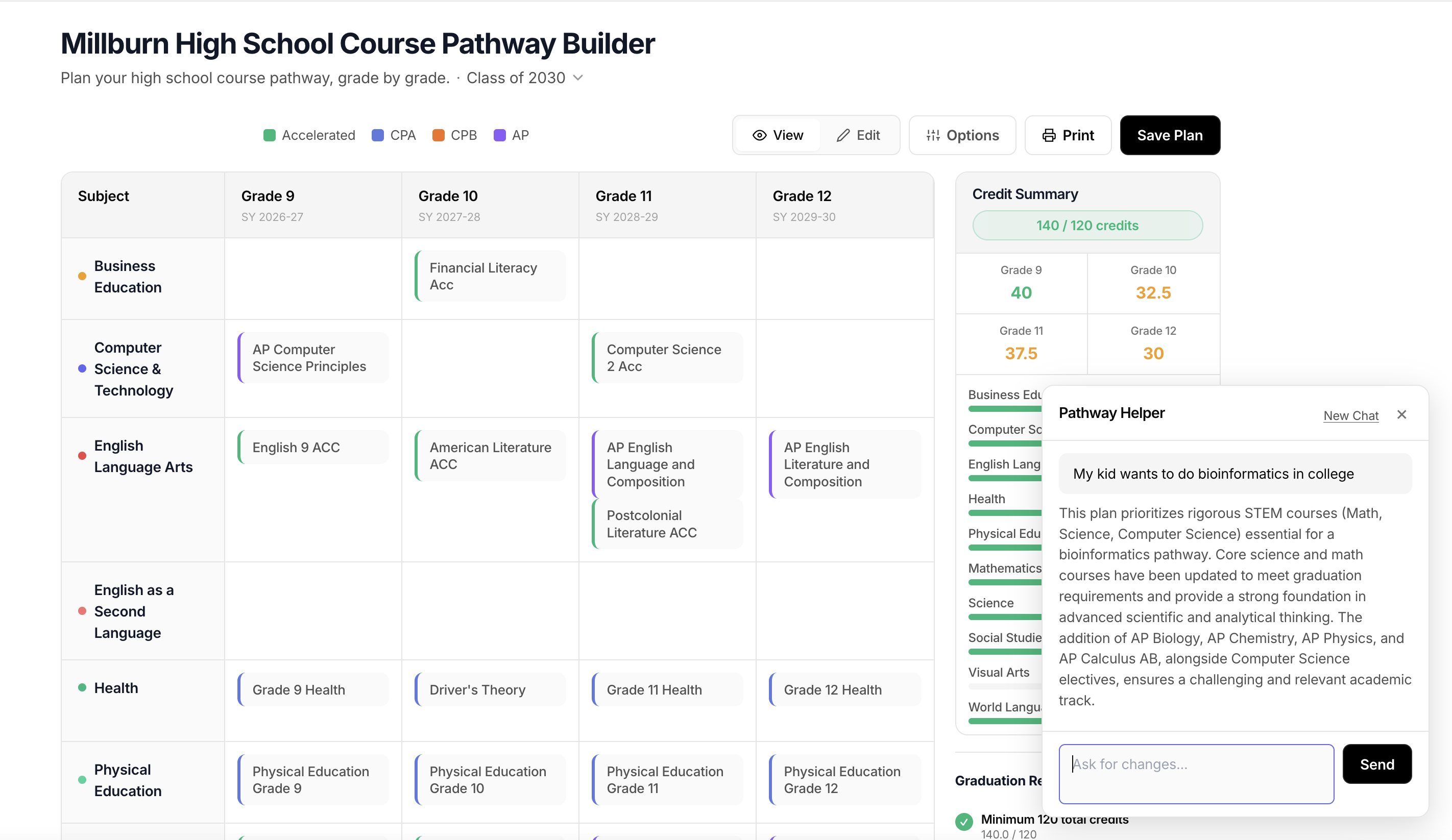
The plan loads directly into the pathway builder grid, so you can see exactly what each year looks like. Credits, requirements, course levels — it’s all there.
Then you iterate. The helper is conversational, so you can ask for changes:
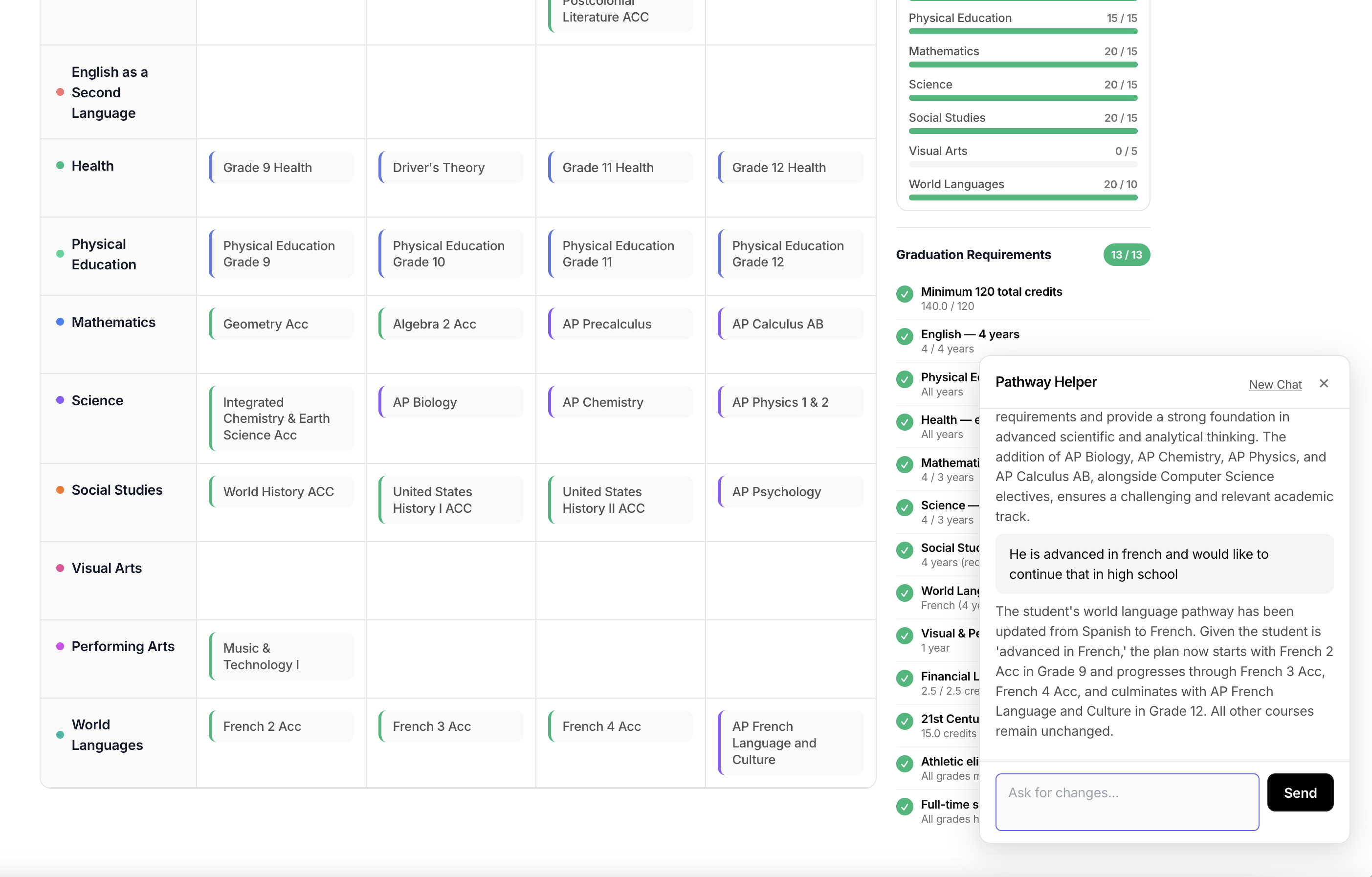
“Swap AP Biology for AP Environmental Science in junior year.” OR “He is advanced in French and would like to continue that in high school.”
It adjusts the plan, handles any cascading prerequisite changes, and revalidates graduation requirements. No need to manually trace through the catalog to figure out what else needs to move. You can also switch to manual editing at any time — the pathway builder’s course-by-course selection still works the same way, so you can use the AI to get a starting point and then fine-tune individual courses by hand.
This isn’t meant to replace the school counselor. It’s meant to get you to the counselor meeting with a draft plan and specific questions instead of a blank stare. The counselor can then refine based on things the tool can’t know — your kid’s learning style, the teacher’s teaching style, what’s realistic given their schedule.
Try It
The pathway builder itself is free to use without an account — you can explore courses, build plans manually, and save them to your browser session. The Pathway Helper is available to signed-up users. Create a free account, open the pathway builder, and click the Pathway Helper button in the bottom right corner. Describe what you’re looking for, and start from there.